Vismuse
AI Video GeneratorCreate short AI videos from prompts, references, and briefs.AI Flyer GeneratorTurn events, offers, and listings into flyers.AI Brochure GeneratorStructure company, product, and service content into brochures.AI Album Cover GeneratorDesign album covers, mixtape art, and single artwork.AI Image MakerCreate any image from a prompt, link, or reference.Product Ad GeneratorGenerate product promo images and ad creatives.AI Room DesignUpload a room photo and redesign interiors with AI.Background RemoverRemove backgrounds for clean cutouts and product images.Business Card MakerCreate print-ready front and back business card designs.AI Logo GeneratorCreate logo concepts, brand marks, badges, and monograms.Tattoo GeneratorCreate tattoo concepts, stencil ideas, flash art, and sleeve layouts.AI Poster MakerCreate posters for events, product promotions, movies, lost-and-found notices, and more.Invitation MakerCreate birthday invitations, party invites, and event cards.AI Book Cover GeneratorCreate ebook, Kindle, and paperback cover concepts.AI Sticker GeneratorCreate stickers, reactions, and sticker sheets.AI Wallpaper GeneratorGenerate phone and desktop wallpapers.
AI VideoToolsTemplatesResourcesPricing
Docsbirthday flyer maker

Create with Vismuse

Birthday flyer maker for party invites and celebrations

Build a birthday flyer that makes the name, age, theme, date, venue, RSVP, and celebration mood instantly clear.

Create a birthday flyerBrowse templates
birthday flyer example

AI birthday flyer generator for your next design

Parents, hosts, party planners, venues, and creators designing birthday announcements. Start with your own copy or an example, then refine the flyer through chat.

  1. Write the flyer details

    Include Name and age, Party theme, Date and time, Venue, RSVP contact. Quote exact wording and check every name, date, location, and contact detail.

  2. Choose a visual direction

    Pick an example below, add your own details, and include an approved photo or logo if needed. Choose a social or portrait format.

  3. Generate and review

    Open the brief in AI Flyer Generator, generate a first draft, and check the full image before requesting focused changes in chat.

  4. Download your flyer

    Download as PNG or JPG, or export an eligible original as PDF. Confirm final dimensions and print requirements with your printer.

birthday flyer templates and examples

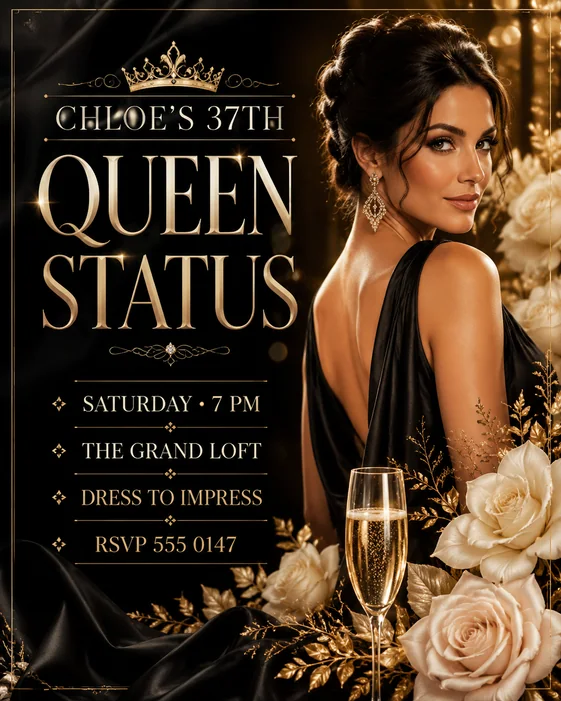
Luxury Birthday Party example

Luxury Birthday Party

A glamorous adult birthday invitation with portrait space, premium styling, and clear RSVP details.

Customize this example →
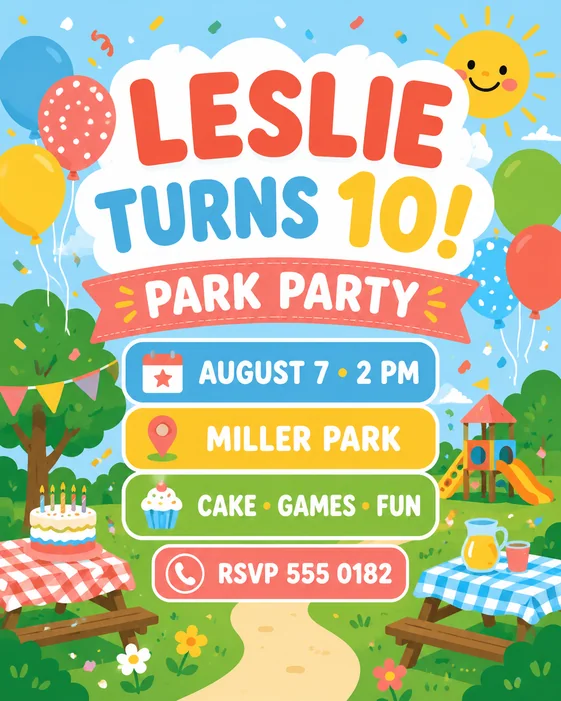
Kids Park Birthday example

Kids Park Birthday

A cheerful children’s birthday flyer with easy-to-edit age, park, date, and RSVP fields.

Customize this example →
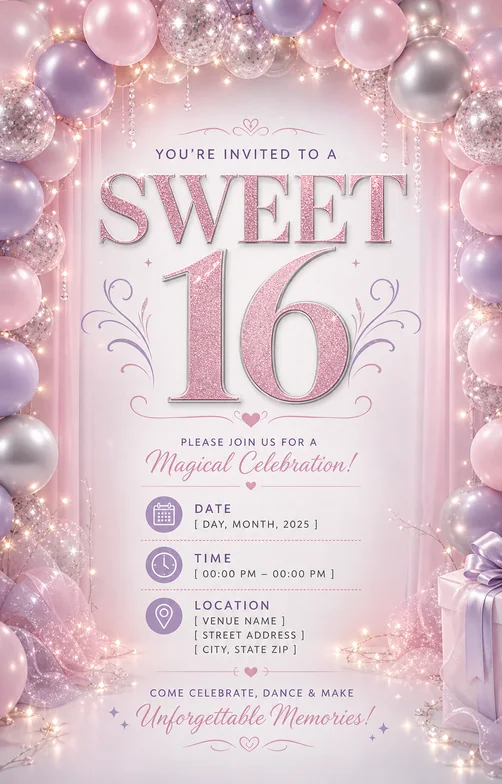
Sweet 16 Invitation example

Sweet 16 Invitation

A pink birthday invitation with a clear name, milestone age, date, venue, and RSVP.

Customize this example →
Explore birthday flyer templates →

What to include in your birthday flyer

  • Name and age
  • Party theme
  • Date and time
  • Venue
  • RSVP contact

Keep one headline and one clear next action. Check required wording at the size people will actually see.

  • Use portrait for invites
  • Keep the name and age largest
  • Avoid crowding the flyer with long gift notes

For print, confirm the final paper size, resolution, and bleed separately. PDF export preserves the generated image’s aspect ratio.

Start with a birthday flyer prompt

Sweet 16 flyer

Create a glam Sweet 16 birthday flyer with name, age, date, venue, RSVP, pink and silver theme, dress code, and readable invitation layout.

Use this prompt →
Kids birthday flyer

Create a kids birthday flyer with child name, age, playful theme, date, time, venue, parent RSVP contact, and cheerful colors.

Use this prompt →
Milestone birthday flyer

Create a milestone birthday flyer for [age]. Use elegant party styling, large name treatment, date, venue, RSVP, and premium night-event mood.

Use this prompt →

birthday flyer maker FAQ

What details do I need for a birthday flyer?

Add the celebrant name, age, party theme, date, time, venue, RSVP contact, dress code, and any note guests must know.

Can I make Sweet 16 invitations?

Yes. Add Sweet 16, color palette, venue, date, RSVP, dress code, and whether the design should feel glam, playful, elegant, or modern.

What size should a birthday flyer be?

Use 4:5 for feed posts, 9:16 for stories, and letter or A4 if you plan to print the flyer.

More flyer resources

AI Flyer GeneratorParty Flyer GeneratorAll flyer templates25 AI flyer promptsEdit a flyer with AIHow to make a birthday flyerChurch flyers templatesEvent flyers templatesClub flyers templatesReal estate flyers templatesParty flyers templates
Vismuse

Create and edit images and videos through conversation—no traditional editor required.

support@vismuse.com

Product

AI Image GeneratorAI Video GeneratorAI Animation GeneratorAlbum Cover MakerProduct Ad MakerAI Flyer Maker

Templates

All TemplatesFlyer TemplatesAlbum Covers

Resources

Help CenterDocsToolsPricing

Company

Contact supportAbout VismuseAcceptable UsePrivacyTermsRefund PolicyCookies
© 2026 Vismuse. All rights reserved.
EnglishDeutschFrançaisEspañolPortuguês (Brasil)日本語繁體中文