Vismuse
AI Video GeneratorCreate short AI videos from prompts, references, and briefs.AI Flyer GeneratorTurn events, offers, and listings into flyers.AI Brochure GeneratorStructure company, product, and service content into brochures.AI Album Cover GeneratorDesign album covers, mixtape art, and single artwork.AI Image MakerCreate any image from a prompt, link, or reference.Product Ad GeneratorGenerate product promo images and ad creatives.AI Room DesignUpload a room photo and redesign interiors with AI.Background RemoverRemove backgrounds for clean cutouts and product images.Business Card MakerCreate print-ready front and back business card designs.AI Logo GeneratorCreate logo concepts, brand marks, badges, and monograms.Tattoo GeneratorCreate tattoo concepts, stencil ideas, flash art, and sleeve layouts.AI Poster MakerCreate posters for events, product promotions, movies, lost-and-found notices, and more.Invitation MakerCreate birthday invitations, party invites, and event cards.AI Book Cover GeneratorCreate ebook, Kindle, and paperback cover concepts.AI Sticker GeneratorCreate stickers, reactions, and sticker sheets.AI Wallpaper GeneratorGenerate phone and desktop wallpapers.
AI VideoToolsTemplatesResourcesPricing
DocsHow to Write Better AI Prompts in Vismuse

Prompt guide

How to write better AI prompts in Vismuse

A good prompt is a compact creative brief. State the result, the important visual details, and anything that must stay exact. Leave out words that do not change the output.
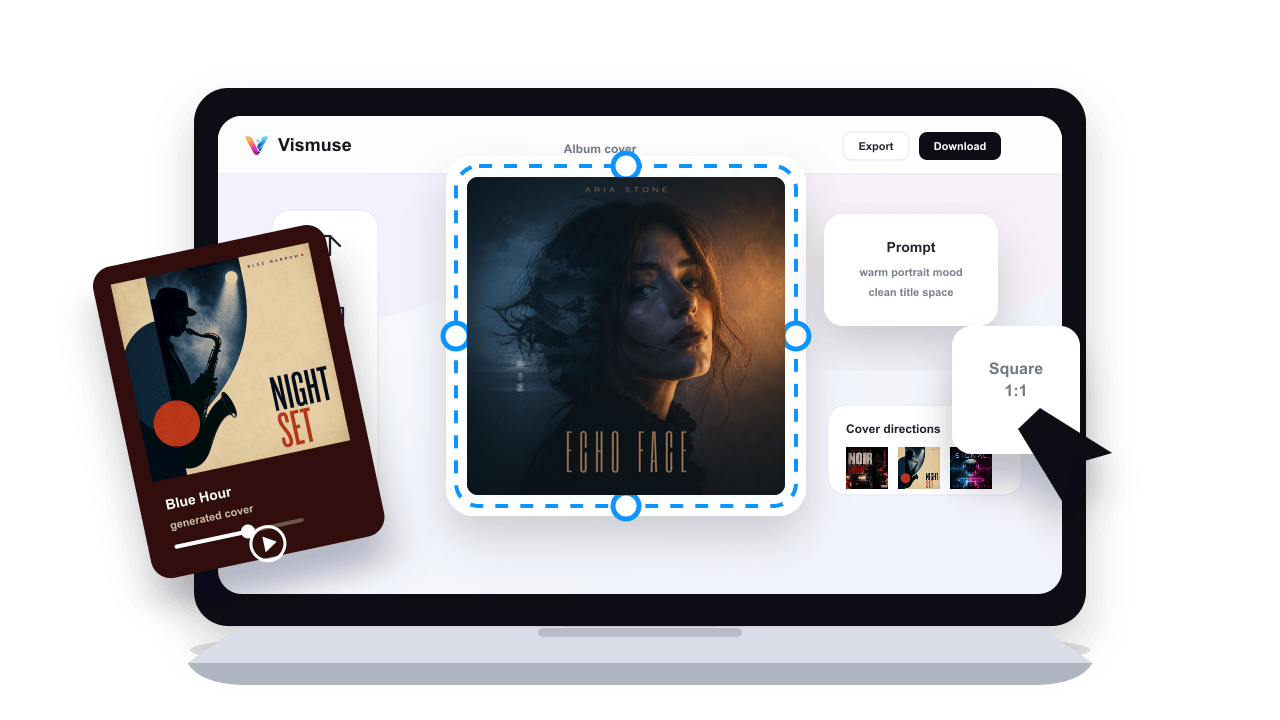
Vismuse prompt and generated album cover example
Try a prompt

1. Write the job in one clear brief

Start with the finished deliverable and its purpose. Then add only the details that affect the result.

  • Deliverable and use — an Instagram ad, album cover, product photo, or vertical video
  • Audience or goal — who it is for and what it should communicate
  • Subject or action — what viewers should see
  • Composition — placement, framing, camera angle, or space for text
  • Visual direction — medium, colors, lighting, and mood
  • Required content — exact copy and details that must stay unchanged
  • Output format — aspect ratio or destination
Prompt formula

Create a [deliverable] for [audience or use]. Show [subject or action] in [setting]. Arrange it [composition]. Use [style, colors, and lighting]. Include the exact text “[copy].” Keep [required details] unchanged. Make it [aspect ratio].

2. Include details that solve the task

Different jobs need different details. Do not add camera language to a flyer unless it controls a photo inside the design.

  • Marketing design — purpose, audience, offer, visual hierarchy, and exact copy
  • Product image — product details to preserve, setting, angle, lighting, and space for copy
  • Portrait — appearance, expression, pose, framing, background, and lighting
  • Cover artwork — title, artist or author, genre, mood, focal image, and typography direction
  • Image edit — what the upload provides, what changes, and what stays unchanged
Example marketing prompt

Create a 4:5 Instagram ad for a neighborhood coffee shop promoting a two-for-one cold brew offer to commuters. Show two clear cups on a light stone counter. Put “2 FOR 1 COLD BREW” at the top and “Weekdays, 7–10 AM” below it. Use dark brown, cream, and muted orange. Make the offer the largest text and leave the bottom clear for a logo.

3. Replace vague words with visible direction

Words such as “professional,” “beautiful,” or “premium” are too broad on their own. Explain what should create that impression.

  • Professional → a clean grid, clear hierarchy, restrained colors, and readable type
  • Premium → generous empty space, refined materials, controlled lighting, and a limited palette
  • Energetic → bold contrast, diagonal movement, an active pose, and bright color
  • Cozy → warm window light, soft texture, close framing, and muted earth tones

4. Tell Vismuse what to keep and what to change

When you upload an image, say whether it is the source to edit or a reference for style, color, pose, or composition. Put exact on-image copy in quotation marks and check it before publishing.

Example reference image prompt

Use my uploaded bottle as the exact product reference. Keep the bottle shape, cap, label, logo, and proportions unchanged. Replace the background with a sunlit poolside table, add realistic condensation, and leave open space on the right for ad copy.

5. Describe motion, not just appearance

For video, describe the opening shot, the subject’s action, the camera movement, the pace, and the ending. Keep one main action per clip.

Example video prompt

Create a 9:16 product video. Open on a close shot of a citrus can on wet stone. Water droplets slide slowly down the can while the camera gently pushes in. Morning light moves across the label. End with the can centered and the label fully readable.

6. Revise without starting over

If most of the result works, do not rewrite the full brief. Name what should stay, then request one clear change.

Example revision prompt

Keep the product, camera angle, lighting, and headline unchanged. Change only the blue background to warm beige and leave more empty space above the product.

Tips

  • Give each prompt one main result and one clear visual direction.
  • Put names, prices, dates, and other exact copy in quotation marks.
  • Describe the result you want before listing anything to exclude.
  • Remove adjectives that do not translate into a visible choice.
  • Check important text, logos, product details, and factual claims before publishing.

Related resources

  • Use reference images — Pair a clear prompt with visual source material.
  • Choose size and resolution — Match the composition to its final destination.
  • AI Image Maker docs — Learn the full image generation and revision workflow.

Explore related tools

  • AI Image Maker
  • AI Flyer Generator
  • AI Album Cover Generator
Vismuse

Create and edit images and videos through conversation—no traditional editor required.

support@vismuse.com

Product

AI Image GeneratorAI Video GeneratorAI Animation GeneratorAlbum Cover MakerProduct Ad MakerAI Flyer Maker

Templates

All TemplatesFlyer TemplatesAlbum Covers

Resources

Help CenterDocsToolsPricing

Company

Contact supportAbout VismuseAcceptable UsePrivacyTermsRefund PolicyCookies
© 2026 Vismuse. All rights reserved.
EnglishDeutschFrançaisEspañolPortuguês (Brasil)日本語繁體中文